LightningPlanner
With LightningPlanner, you can plan your autonomous routine directly from your computer, eliminating the need for field measurements.
Path Planning
Plan your autonomous routes without the necessity of physical measurements. Features:
- Easy to Use: Intuitive interface for generating waypoints and trajectories.
- Flexible: Save and reset coordinates with simple commands.
- Export Capabilities: Save your route plans to a file for easy integration with your autonomous system.
Available for:
LightningPlanner can be setted for:
-
VRC
- VRC Matches (Blue and Red alliance)
- VRC Skills
-
VEXU
- VEXU Matches (Blue and Red alliance)
- VEXU Skills
How it works
-
Generate Waypoints:
Clickto set waypoints for your robot's path.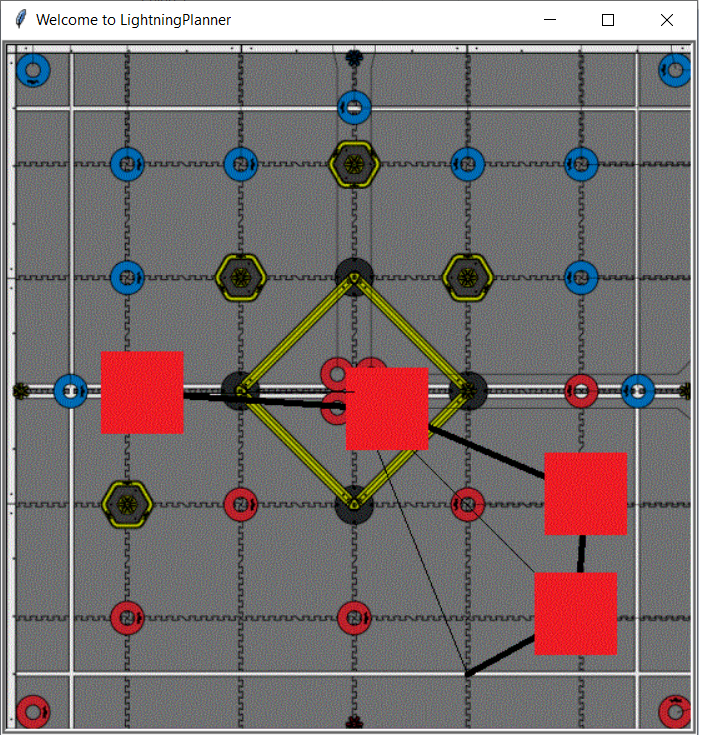
-
Print Coordinates:
Right-clickto view all the coordinates you’ve generated.
Origin: x: 0 (inches)  y:  0 (inches)
x: 2.59 (inches)  y: 28.18 (inches)
x: -42.40 (inches)  y: 49.90 (inches)
x: -91.78 (inches)  y: 51.19 (inches)
X:  [185.0, 11.0, -180.0]
Y:  [-88.0, -4.0, 1.0]
- Save Coordinates: Press
sto save the waypoints to a text file in the Field_waypoints directory.
X: {185.0, 11.0, -180.0}
Y: {-88.0, -4.0, 1.0}
You can paste this new coordinates to your Lightning project and construct a new Path using the Path class.
lightning::Path my_path({185.0, 11.0, -180.0},{-88.0, -4.0, 1.0},false,3)
-
Reset: Press
rto reset the coordinates and start planning from scratch. -
Exit: Press
qto exit the program.
Getting Started
-
Open your Lightning example project.
-
Install Python:
LightningPlannerrequires Python to run. Most systems have Python installed by default, but it's a good idea to check. You can verify if Python is properly installed and running by typing the following command in your terminal:
You can run LightningPlanner from the PROS Integrated Terminal, Also, PROS has python already installed
python
If Python is not installed, you can download and install it here
- Run the Program:
cd python_utilities
cd LightningPlanner
python lightning_planner.py
License
This Source Code Form is subject to the terms of the Mozilla Public License, v. 2.0. If a copy of the MPL was not distributed with this file, you can obtain one at http://mozilla.org/MPL/2.0/.